Email Hosting Service
Email Hosting Service Provider

Business Email Hosting | Email Application Service

Professional business email solutions supporting Webmail, IMAP, POP3, SMTP, with smooth sending and receiving between China and Hong Kong.

Email Hosting

Email Hosting Service

Build professional business email with your own domain (e.g. yourname@yourcompany.com), supporting Webmail, IMAP, POP3 and SMTP for easy synced sending and receiving on computers and mobile phones.

Services include spam filtering, antivirus scanning, mailbox capacity quota management, and an email management console so administrators can add, delete or change account passwords.
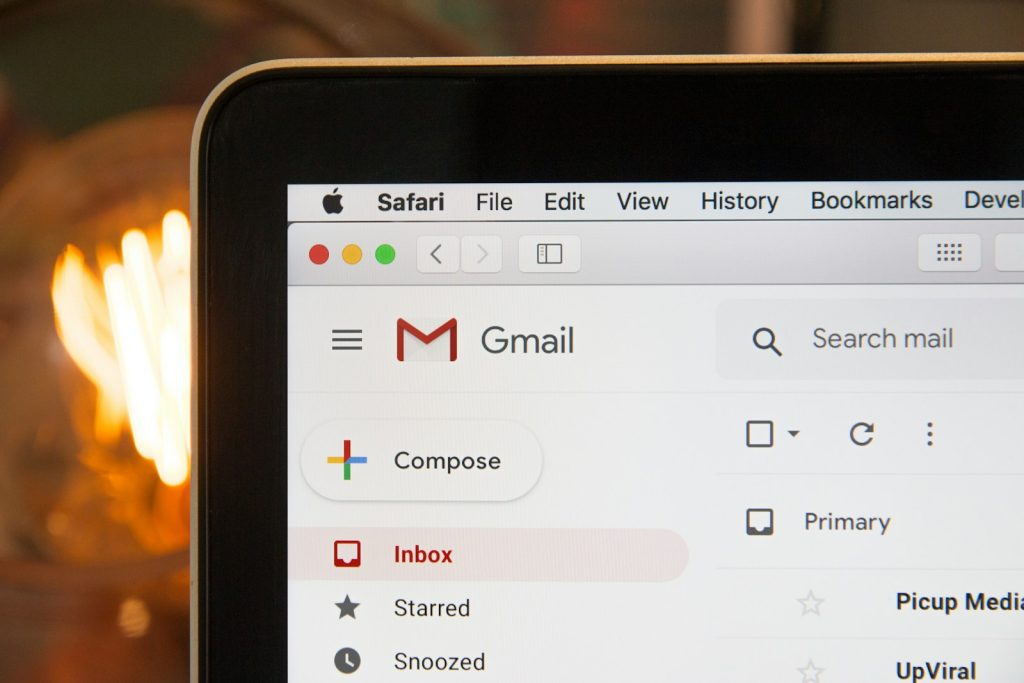
Business Email Hosting
Why Choose Us

Why Choose Timway Email Hosting

24-hour live support, powerful spam protection, China-Hong Kong email dedicated line, clear pricing with no hidden fees.

24/7 Support

  • 24-hour live technical support hotline (852) 2549 7978

Powerful Spam Protection

  • Free blocking of over 97% of spam emails
  • Intelligent filtering system greatly reduces the chance of misclassifying legitimate emails

Multi-device Access

  • Supports access via smartphones, tablets and Webmail
  • Unblocked SMTP Port with SSL encryption for stable sending and receiving worldwide

China-Hong Kong Email Connectivity

  • Dedicated independent fiber broadband line ensures smooth email sending and receiving between China and Hong Kong

Clear Pricing

  • Accepts one-time payment by bank transfer or cheque, absolutely no hidden recurring charges
  • Prepayment basis, with clear total amount and contract period, plus email renewal reminders upon expiry

Confidence Guarantee

  • Established in 1997, over twenty years of email and hosting experience
Pricing Plan

Email Hosting Packages

Six plans clearly compared, choose the right specification based on number of accounts and storage space. Swipe left and right on mobile to view all packages.

Package overview
Personal / Family EM39 HK$39 Apply now
SOHO EM69 HK$69 Apply now
Most Popular Enterprise / Business EM139 HK$139 Apply now
Advanced Business EM269 HK$269 Apply now
Professional Enterprise EM389 HK$389 Apply now
Top-tier Managed Enterprise EM489 HK$489 Apply now
Basic specifications
Email Accounts
6
12
25
50
75
100
Total Email Storage Space
50G
100G
200G
400G
500G
600G
Maximum storage per individual mailbox
20G
30G
40G
40G
50G
50G
Monthly Fee
HK$39
HK$69
HK$139
HK$269
HK$389
HK$489
Basic features
Auto-reply
Unlimited
Unlimited
Unlimited
Unlimited
Unlimited
Unlimited
Email Alias
Unlimited
Unlimited
Unlimited
Unlimited
Unlimited
Unlimited
Secure online email feature SSL Webmail
✓
✓
✓
✓
✓
✓
Email virus filtering system
✓
✓
✓
✓
✓
✓
Professional spam email filtering system
✓
✓
✓
✓
✓
✓
Email Blacklist / Whitelist Filtering
✓
✓
✓
✓
✓
✓
Supports POP3, SMTP, IMAP
✓
✓
✓
✓
✓
✓
Supports POP3S, SMTPS, IMAPS
✓
✓
✓
✓
✓
✓
Send to Boss incoming and outgoing email monitoring service (same-domain accounts only)
✓
✓
✓
✓
✓
✓
Cross-platform support: Outlook, Mac Mail, iPhone, iPad, Android
✓
✓
✓
✓
✓
✓
Compatible with Thunderbird, Foxmail and IMAP / POP3 email software
✓
✓
✓
✓
✓
✓
Unblocked SMTP Port (25, 26, 587)
✓
✓
✓
✓
✓
✓
Level
Personal / Family
SOHO
Enterprise / Business
Advanced Business
Professional Enterprise
Top-tier Managed Enterprise
Unique features
Email management system
✓
✓
✓
✓
✓
✓
99.99% Uptime Guarantee
✓
✓
✓
✓
✓
✓
24-hour technical support
✓
✓
✓
✓
✓
✓
24-hour network monitoring
✓
✓
✓
✓
✓
✓
UPS Uninterruptible Power Supply System
✓
✓
✓
✓
✓
✓
Daily data backup^
✓
✓
✓
✓
✓
✓
30-day money-back guarantee
✓
✓
✓
✓
✓
✓

One of the best email hosting partners One of the best email hosting partners

^Daily data backup applies to IMAP Protocol email accounts, or POP3 Protocol email accounts configured to retain emails on the email server.

Hosting Features

Hosting Service Features

Flexibly manage mailbox space and accounts, easily control the email system anytime, anywhere.

  • 01
    Custom Mailbox Space

    Users can set the available space for individual mailboxes themselves.

  • 02
    Flexible Account Management

    The email management system can add or delete accounts at will.

  • 03
    Manage Anytime, Anywhere

    Whether in the office, on a public computer, traveling, or working from home, you can conveniently manage the email system.

Notes

Service Notes

  • Larger Attachment Limit

    The attachment limit for general free email accounts is 25 MB, while Timway Email allows up to 35 MB per email, sufficient for business needs.

  • Domain Fees Are Extra

    The above email hosting service plans do not include domain registration fees. Customers can register a new domain or transfer an existing domain to our company.

  • Domain Ownership

    For all Timway Technology domain registration services, customers have 100% domain ownership and can transfer the domain to another company for free at any time if needed.

  • Backup Applicability Statement

    Daily data backup applies to IMAP email accounts, or POP3 accounts configured to retain emails on the email server.

No upgrade handling fee is charged; you only need to pay the plan price difference starting from the date of upgrade.

If you apply to use Timway Technology services, it means you have read, understood and agreed to acceptTerms of User、Privacy PolicyandAnti-Spam Email PolicyAll content.

Domain

Domain Registration / Domain Lookup

To register or look up a domain, please click here to go to the domain service. Unlike general providers, we promise that the annual service fee will remain stable, ensuring that no sudden additional charges will appear upon renewal or in subsequent years.

Please note that the services and offers we add at different times may not necessarily apply to existing clients. If you need to update your service plan, please call (852) 2549 7978 or email ask@timway.com。

FAQ

Email Application FAQ

About email hosting, account settings, IMAP / POP3, security filtering, capacity backup, and upgrade migration.

What are the main features of Timway's email hosting service?
Timway provides company email accounts built on your own domain name, such as "yourname@yourcompany.com", supporting Webmail, IMAP, POP3, and SMTP, making it convenient to send and receive emails synchronously on computers and mobile phones. Services generally include spam filtering, antivirus scanning, mailbox capacity quota management, and a basic management console, allowing the person in charge to add, delete, or change account passwords.
What is the difference between this type of company email and general free email services?
Company email can use your own company domain, making it more professional and helping to build brand image and customer trust. In addition, commercial email plans are usually more systematic in capacity management, technical support, account expansion, and security policies (such as backup and anti-spam), and have clear service level commitments, making them more suitable for business use.
How long after opening an account can I start using email?
Generally, after payment confirmation and domain DNS settings (such as MX, SPF, DKIM) are completed, the account can be activated within a short time, mostly within one working day, with the actual time depending on how quickly the customer cooperates. DNS setting updates usually take several hours to 24 hours to take effect globally, so there may be a brief transition period when first switching providers.
Which email software or devices can be used to send and receive mail?
The service generally supports common email clients, such as MS Outlook, Apple Mail, Thunderbird, and built-in email apps on iOS and Android, as long as the correct IMAP (or POP3) and SMTP server information is entered. A Webmail interface is also provided, allowing users to log in to send and receive mail with just a browser and internet access, without installing client software.
What are the differences between IMAP, POP3, and SMTP? Which one should I choose?
SMTP is the communication protocol responsible for "sending" email, while IMAP and POP3 are used to "receive" email. IMAP keeps mail on the server and synchronizes data across multiple devices, generally making it more suitable for modern users; POP3 by default downloads mail to a single device, making it suitable for users who receive mail on only one computer or want to save server space.
How does Timway's email service handle spam and viruses?
The email server uses spam filtering engines and virus scanning programs to automatically mark or quarantine suspected spam or malicious program emails for recipients, reducing the risk of users being affected. At the same time, users are advised to keep their computer and mobile antivirus software updated, and not to easily open attachments from unknown sources or click suspicious links, to improve overall security.
How much capacity does each mailbox have? What happens when it is used up?
Each plan usually includes total storage space and the number of mailboxes that can be created, and administrators can allocate sizes according to colleagues' needs. The maximum capacity of individual mailboxes in the lowest-priced plan is 20G, while higher-tier plans can reach higher capacities. If approaching the capacity limit, the system may reject new emails or issue a notice, so it is recommended to regularly clean up old emails or consider upgrading the plan.
If the company expands and needs more accounts or capacity, how do we upgrade?
Generally, you can apply to upgrade the plan or purchase additional mailboxes / space at any time, and the fee is mostly calculated pro rata based on the remaining service period or takes effect from the next billing cycle. It is recommended to contact customer service in advance before a significant increase in staff or the launch of a new project, to avoid a sudden shortage of mailbox capacity. There is no upgrade handling fee; you only need to pay the plan price difference from the date of upgrade.
If we are currently using email with another provider, can we migrate the old emails over?
In most cases, old emails can be transferred to the new server through IMAP synchronization, export and import files (such as MS Outlook .PST), with the specific method depending on the original service and client software. If the company has a large number of accounts, it is recommended to have technical personnel handle it in stages to reduce downtime and the risk of missing emails.
Apply Now

Email Service Application Form

Fill in the following information and we will follow up with you as soon as possible. For enquiries, please call (852) 2549 7978 or email info@timway.com.

Contact Information
Service Options
Please select a plan *
Please select prepayment period *
Please select domain registration *

By clicking "Submit Application", you confirm that you have read and agree to all contents of Timway's Terms of Use, Privacy Policy and Anti-Spam Policy.

For any enquiries, please call (852) 2549 7978 or email info@timway.com

VISA MasterCard PayPal Alipay FPS PayMe HSBC
Setup

電子郵件客戶端及 DNS 紀錄設置

Outlook、iPhone、Android、Thunderbird、Mac Mail 以及 MX / SPF / DKIM 設定教學。

WhatsApp
